
Many Neoloop (formerly Lynham Networks) fibre homes have an Adtran ONT, the box that connects your home to the fibre network. If your internet isn’t working, its lights tell you whether the problem is the fibre connection, the box, or your router. Check them, then restart your equipment before lodging a fault.
Your Adtran ONT
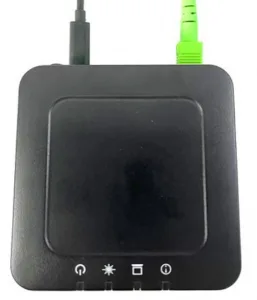
The ONT (optical network terminal, sometimes called an NTU or NTD) is often installed in a communications cabinet like the one below. Your router connects to its Ethernet port.
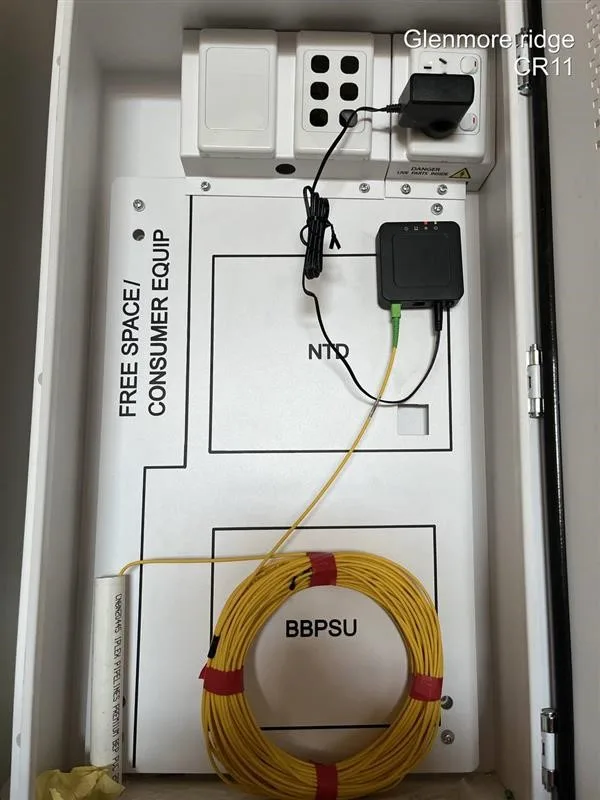
What the lights should look like
When everything is working:
- Power is solid green
- Optical is solid green
- LAN is green, and flashes when data is moving
- Alarm/Update is off

No power light?
- Is the ONT plugged into a power point, and is the power point switched on?
- Is there power to the rest of your home?
- If the ONT is in a cabinet, check the power board inside it is switched on.
What each light means
| Light | Status | What it means |
|---|---|---|
| Power | Off | No power |
| Green | Powered on and working normally | |
| Green flashing | Starting up | |
| Optical | Green | Connected to the fibre network and set up |
| Green flashing fast | Connecting to the fibre network | |
| Green flashing slowly | Connected to the fibre network, but your service isn’t set up on it yet | |
| Red | No fibre signal. The fibre cable may be loose, damaged or disconnected. | |
| LAN | Off | Nothing connected to the Ethernet port. Check the cable to your router. |
| Green | Router connected, no data moving | |
| Green flashing | Router connected, data moving | |
| Alarm/Update | Off | No problems |
| Green | Installing a software update. It turns off when the update finishes. | |
| Green flashing | Downloading a software update | |
| Red | A software update failed |
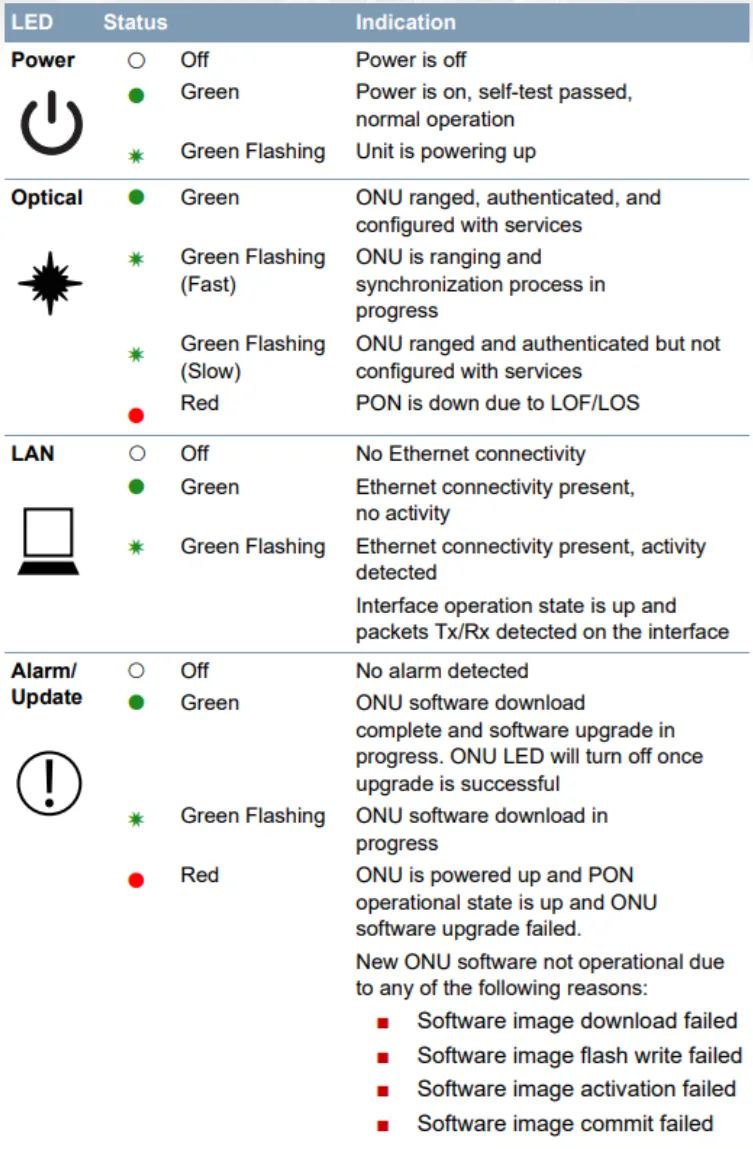
If the Optical light is red, or the Alarm/Update light is red, the problem is with the fibre connection or the ONT, not your router. Skip the restart and contact us.
Restart your equipment
If the lights look right but you still can’t get online:
- Turn off your router and the Adtran ONT.
- Wait 10 minutes.
- Turn the ONT back on, then your router.
- Wait 5 minutes and check the lights again.
Still not working? Check your router’s settings: on Neoloop it connects using PPPoE with the username and password from your activation email. See routers that work on Neoloop.
Still not working? Lodge a fault
Report a problem, call us on 1800 663 977 or email [email protected]. Tell us:
- what’s happening (no internet, slow speeds or dropouts)
- the colour of each light, and whether it’s solid or flashing: Power, Optical, LAN and Alarm/Update
- whether you’ve already restarted the ONT and your router
If you have a Ubiquiti box instead, see Ubiquiti NTU lights explained.