
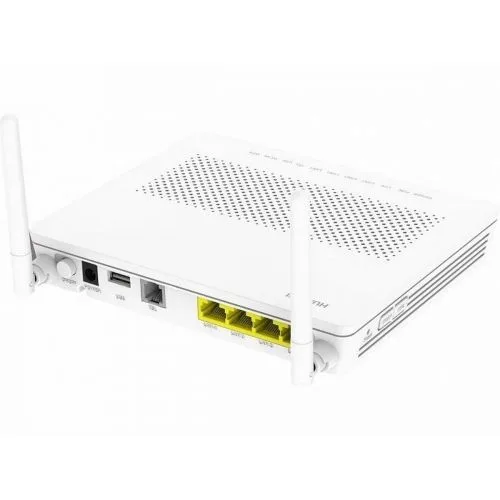
Many Frontier Networks fibre homes have a Huawei HG8546M, the box that connects your home to the fibre network. This guide shows how to connect your router to it, what its lights mean, and how to log in to it or reset it.
Is it working?
Check the lights on the front of the HG8546M:
- POWER is solid green
- PON is solid on
- LOS is off
- the LAN light for the port your router is plugged into is on, or flashing when data is moving
If LOS is flashing, the box isn’t getting a fibre signal. Check the fibre cable is plugged in firmly, then contact us. The full light tables are below.
Ports on the back

- On/Off button: turns the HG8546M on and off.
- Power: the power adapter plugs in here.
- USB: for USB devices.
- TEL: for a telephone.
- LAN1 to LAN4: Ethernet ports for your router and other devices.
Connect the cables
- Connect an Ethernet cable from the port labelled LAN1 to the WAN port on your router.
- Plug any other wired devices into your router, or into the remaining LAN ports.
- Plug the power adapter into the socket labelled POWER, and turn the HG8546M on.
What the lights mean

| Light | Status | What it means |
|---|---|---|
| POWER | Steady green | Powered on |
| Off | Powered off | |
| PON and LOS | See the next table | |
| LAN1 to LAN4 | Steady on | A device is connected |
| Flashing | A device is connected and data is moving | |
| Off | Nothing connected | |
| TEL1 and TEL2 | Steady on | The phone line is registered, but no call is in progress |
| Flashing | A call is in progress | |
| Off | No phone service, or the box is off | |
| USB | Steady on | A USB device is connected |
| Flashing | Data is moving on the USB port | |
| Off | No USB device, or the box is off | |
| WLAN | Steady on | The box’s Wi-Fi is on |
| Flashing | Data is moving over the box’s Wi-Fi | |
| Off | The box’s Wi-Fi is off | |
| WPS | Steady on | WPS is on |
| Flashing | A Wi-Fi device is connecting with WPS | |
| Off | WPS is off | |
| CATV | Steady on | TV signal is being received |
| Off | No TV signal, or TV isn’t in use |
PON and LOS lights
| PON | LOS | What it means |
|---|---|---|
| Steady on | Off | Connected to the fibre network. This is normal. |
| Flashing twice a second | Off | Connecting to the fibre network |
| Off | Off | The network has blocked the box. Contact us. |
| Off | Flashing every 2 seconds | No fibre signal. Check the fibre cable, then contact us. |
| Flashing twice a second | Flashing twice a second | The box isn’t authorised on the network. Contact us. |
| Flashing every 2 seconds | Flashing every 2 seconds | Hardware fault. Contact us. |
Log in to the HG8546M
You don’t normally need to. If we ask you to:
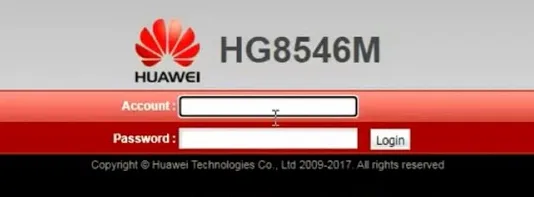
- Find the default management IP address, username and password on the label on the HG8546M.
- Connect a computer to the box and open the IP address in a web browser, for example
http://192.168.1.1. - Enter the username and password from the label, and click Login.
Reset to factory settings
Press and hold the Reset button for more than 10 seconds. This erases any changes to the box’s settings, so only do it if we ask you to.
Still not working?
Turn off your router and the HG8546M, wait a minute, then turn the HG8546M on first and your router a couple of minutes later. If it’s still not working, report a problem or call us on 1800 663 977, and tell us which lights are on. More about Frontier Networks is on our Frontier Networks page.