
In apartment buildings where Vision Network delivers fibre to the building (FTTB), your service runs over the building’s phone wiring to a small box in your home called an NTU. This guide shows how to connect it, and what its two lights tell you when something isn’t working.
What’s in the box
- 1 × PSE-211 NTU
- 1 × RJ-11 phone cable
- 1 × power adapter
Connect the NTU
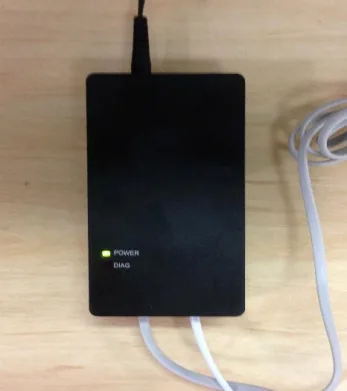
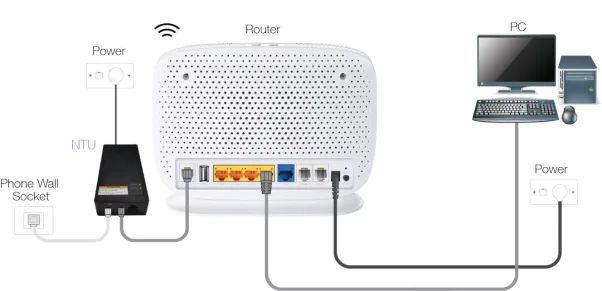
- Connect the NTU’s uplink port to your phone wall socket with a phone cable.
- Connect the NTU to the DSL port on your router with the RJ-11 cable.
- Plug the NTU and your router into power.
- Connect your devices to your router’s Wi-Fi, or to one of its LAN ports with an Ethernet cable.
Your router needs a DSL port that supports VDSL2, so a router with only a WAN Ethernet port, like most mesh Wi-Fi systems, won’t work on its own. It also mustn’t be locked to another provider.
What the lights mean
| Power | Diag | What it means | What to do |
|---|---|---|---|
| Solid green | Off | Working normally | Nothing |
| Flashing | Any | The NTU or the wiring has a fault | See below |
| On | On | The NTU can’t reach the network equipment in your building | Check the phone cable, then contact us |
| Off | On | A short circuit in the phone wiring in your home | Contact us |
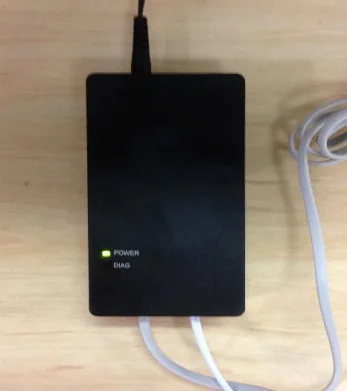
Power light flashing
Unplug the phone cable from the NTU’s uplink port, and watch the power light:
- Still flashing: the NTU is faulty and needs replacing. Contact us.
- Now solid: the NTU is fine, and there’s most likely a short or other fault in the phone wiring in your home. Contact us. You may need an electrician or cabler to fix wiring inside your apartment.
Power and Diag lights both on
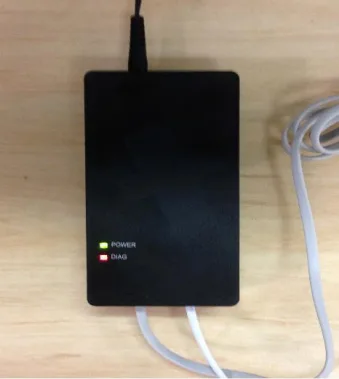
The NTU can’t talk to Vision’s equipment in your building. Check the phone cable is plugged firmly into the wall socket and the NTU’s uplink port, and try a different wall socket if you have one. If it’s set up correctly, the line may not be connected in the building’s communications room. Contact us and we’ll arrange for it to be checked.
Power off, Diag on
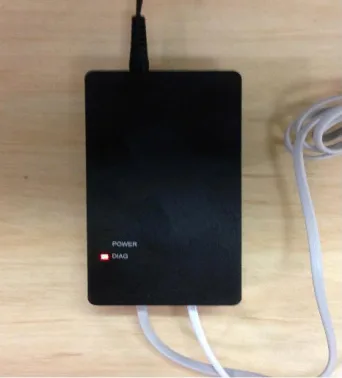
There’s a short circuit in the phone wiring in your home. Unplug any phones, filters or other devices connected to other phone sockets, then contact us.
Still not working?
Report a problem or call us on 1800 663 977, and tell us what the Power and Diag lights are doing. More about Vision Network is on our Vision Network page.