
nbn 25
25 Mbps
10 Mbps upload · 25 Mbps typical evening
$49/mo
For 6 months, then $65/mo. Save $96.
- Unlimited data
- $0 activation fee
- FTTP & HFC
- Shared public IP (CG-NAT)
Every nbn technology, every speed tier — from 25 Mbps up to Australia's fastest 2 Gbps residential plan.* Unlimited data on all of them, no lock-in contract, and $0 activation.
* On FTTP, ordering 2 Gbps books a free upgrade to nbn's newer connection box (NTD) if your home needs one. On HFC, 2 Gbps is subject to availability at your address.

For addresses on Fibre to the Premises or HFC. Unlimited data, $0 activation, no lock-in contract.
25 Mbps
10 Mbps upload · 25 Mbps typical evening
$49/mo
For 6 months, then $65/mo. Save $96.
500 Mbps
50 Mbps upload · 500 Mbps typical evening
$74/mo
For 6 months, then $85/mo. Save $66.
750 Mbps
50 Mbps upload · 750 Mbps typical evening
$84/mo
For 6 months, then $98/mo. Save $84.
1000 Mbps
100 Mbps upload · 800 Mbps typical evening
$98/mo
For 6 months, then $108/mo. Save $60.
Australia's first
Australia's fastest residential nbn tier. Requires a router with a 2.5 Gbps or faster WAN port.
On FTTP, ordering 2 Gbps books a free upgrade to nbn's newer connection box (NTD) if your home needs one. On HFC, 2 Gbps is subject to availability at your address.
2000 Mbps
200 Mbps upload · 1600 Mbps typical evening
$155/mo
For 6 months, then $165/mo. Save $60.
2000 Mbps
100 Mbps upload · 1600 Mbps typical evening
$155/mo
For 6 months, then $165/mo. Save $60.
A 2.5 Gbps or 10 Gbps Ethernet WAN port. Wi-Fi 7 recommended. A standard gigabit router will cap you at 1 Gbps.
Computers, consoles and phones need 2.5/10 Gbps Ethernet or Wi-Fi 7 to see the full speed on a single device.
If you run wired networking, older gigabit switches will bottleneck you. Multi-gigabit switches remove the cap.
Even without a full 2 Gbps setup on day one, you'll get faster, smoother and more reliable internet than a 1 Gbps plan — and your home is ready for what comes next.
For addresses served by node, curb or basement technology. Ask us about a free upgrade to full fibre.
25 Mbps
10 Mbps upload · 20 Mbps typical evening
$49/mo
For 6 months, then $65/mo. Save $96.
100 Mbps
20 Mbps upload · 80 Mbps typical evening
$74/mo
For 6 months, then $85/mo. Save $66.
If your address is currently Fibre to the Node (FTTN) or Fibre to the Curb (FTTC), nbn may upgrade you to Fibre to the Premises (FTTP) at no cost when you order a 500 Mbps or faster plan. Check your address and we'll confirm eligibility before anything is submitted.
Check my eligibilityFor regional and rural addresses on nbn Fixed Wireless. Speeds vary with tower load and distance.
25 Mbps
5 Mbps upload · 10 Mbps typical evening
$49/mo
For 6 months, then $65/mo. Save $96.
100 Mbps
20 Mbps upload · 40 Mbps typical evening
$74/mo
For 6 months, then $85/mo. Save $66.
250 Mbps
20 Mbps upload · 90 Mbps typical evening
$79/mo
For 6 months, then $89/mo. Save $60.
400 Mbps
40 Mbps upload · 120 Mbps typical evening
$89/mo
For 6 months, then $98/mo. Save $54.
The nbn is Australia's national broadband network, built and run by nbn co. It is a wholesale network, so you buy your internet from a retail provider like Quokka Net, not from nbn co.
Your address uses one nbn technology: fibre to the premises (FTTP), hybrid fibre-coaxial (HFC), fibre to the curb (FTTC), fibre to the node (FTTN), fibre to the building (FTTB) or fixed wireless. Your technology decides which speeds you can get and what equipment you need.
Unlike many providers, we're on nine networks, so if you move, there's a good chance we can come with you.
Four steps from "is my place on the nbn?" to online.
The checker confirms your place is on the nbn and which plans you can get.
All online, $0 activation and month-to-month. Add a router from us, or bring your own.
If your address needs a new development or new line fee from the nbn, we'll tell you before we go ahead.
When your activation email arrives, connect your router to the nbn box at your home for FTTP, HFC, FTTC or fixed wireless, or to your phone wall socket for FTTN and FTTB.
Your router plugs into the nbn box at your home. It needs a WAN Ethernet port and must support both PPPoE, which uses a username and password, and Dynamic IP (DHCP): your activation email says which your service uses. For 2 Gbps Hyperfast, it needs a 2.5 Gbps or faster WAN port.
Routers that work on the nbnYou need a VDSL2 modem router with a DSL port that supports vectoring, PPPoE and Dynamic IP (DHCP). These connections also need an active phone line: if you do not have one, a $299 fee applies. Some homes need internal cabling work by an electrician, at your cost.
Modems that work on FTTN and FTTBBring your own, or grab one from us. Either way there's no rental fee and nothing is locked to Quokka Net.
Free
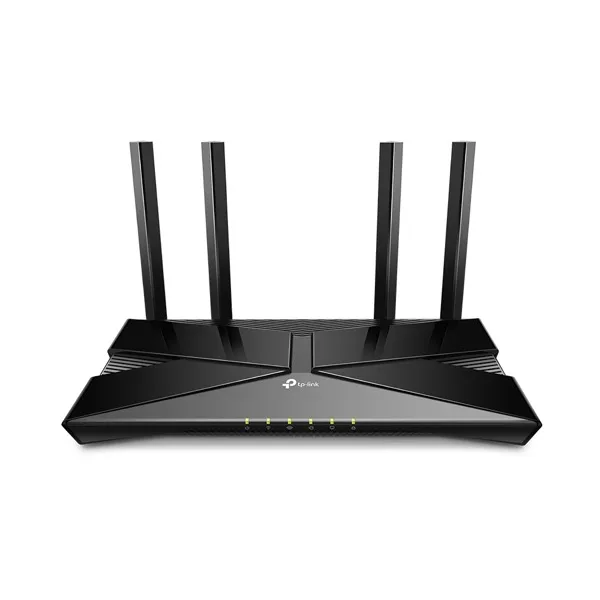
$149
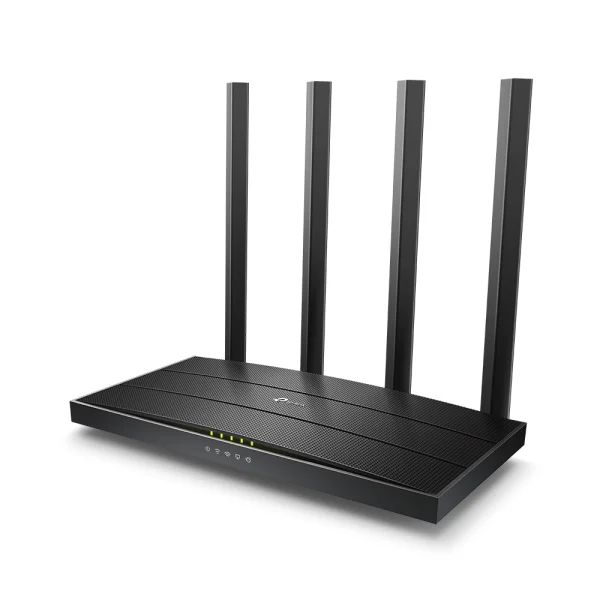
$99
For 2 Gbps Hyperfast you'll need a router with a 2.5 Gbps or faster WAN port — the routers we sell are gigabit-class.
Enter your address in the checker on this page to see every plan available at your address; it only offers plans your nbn technology supports. To find out which technology you have, call us on 1800 663 977 and we will check it for you.
If your address currently uses Fibre to the Node (FTTN) or Fibre to the Curb (FTTC), you may be eligible for a free nbn upgrade to Fibre to the Premises (FTTP) when you order a 500 Mbps or faster plan.
Quokka Net charges $0 activation on nbn plans. nbn™ Co may charge a $300 new development fee if you are the first connection in a newly developed area, or the first connection in an established area where the number of premises has increased. If your address is classed as a subsequent install, there is a $299 new line fee. We will tell you about either fee before we go ahead.
It depends on your nbn technology. FTTP, HFC, FTTC and fixed wireless need a router with a WAN Ethernet port that supports PPPoE and Dynamic IP (DHCP). FTTN and FTTB need a VDSL2 modem router that supports vectoring. 2 Gbps Hyperfast needs a 2.5 Gbps or faster WAN port.
It depends on your nbn technology, and the address checker shows the plans available at your address. Plans on FTTN, FTTC and FTTB go up to 100 Mbps. On FTTP, ordering 2 Gbps books a free upgrade to nbn's newer connection box (NTD) if your home needs one. On HFC, 2 Gbps is subject to availability at your address. Each plan lists its typical evening speed, which is the speed most customers can expect between 7pm and 11pm. Your actual speed also depends on your Wi-Fi, your devices and what you are connecting to.
Check for nbn outages and our service status, then try a few quick fixes at home. If it's still down, contact your provider: they raise the fault with the network for you.
No. nbn plans are month-to-month, so you can change speed or leave without an exit fee.
We'll help you through the whole move. Tell us your new address and move date, and we'll check what's available there and order a new service at your new place, ready for your move. If your new place is on a different network, you choose from the plans available there. If you're already with us, we'll close your old service once the new one is live, so you're not paying twice.
Enter your address and we'll show exactly which nbn plans and speeds are available at your place.
Check my address